Alpine
Booking and point of sale for independent lodging. Guests book on your own website, your staff run the desk and the store on iPads, and we build and run it for you.
Cabins · RV parks · Campgrounds · Motels · Inns

- The parts
- Guest booking · Front desk on iPad · Store register · Web office
- Built with
- Next.js on Vercel · Postgres · Stripe · Swift on iPad and iPhone
What it does
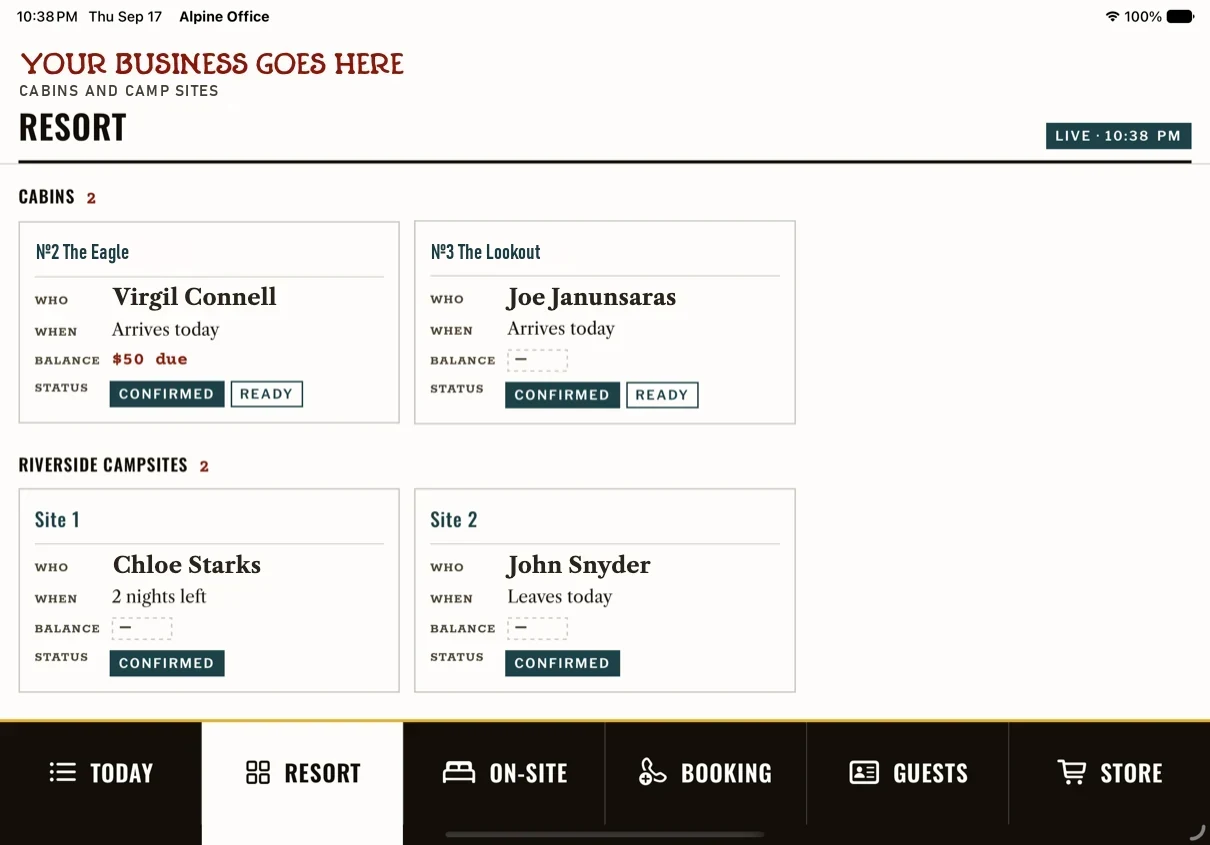
- Bookings on your own domain. Guests pick a cabin, room or site, see the month's calendar and prices, and pay the deposit on a secure Stripe checkout. The balance goes on the same card before arrival. No third-party booking site takes a cut or owns the guest. Two to six cabins can be booked in one call, all or nothing.
- One backend. Rooms, sites and the store run from one system, so availability and stock stay in one place. A cabin that isn't ready by check-in time isn't sold online for tonight, and the desk is warned. Staff can close dates from the iPad.
- The front desk on an iPad. Today is a work queue: who's arriving, who's leaving, what to make ready, what's waiting on you. Check-in is one tap and can be undone. A half-finished call resumes exactly where it was left. Touch targets are big enough for a phone in the other hand.
- Hookup spaces by phone, if you want it. RV spaces can be requested online, then confirmed by phone and placed in a slot by the office.
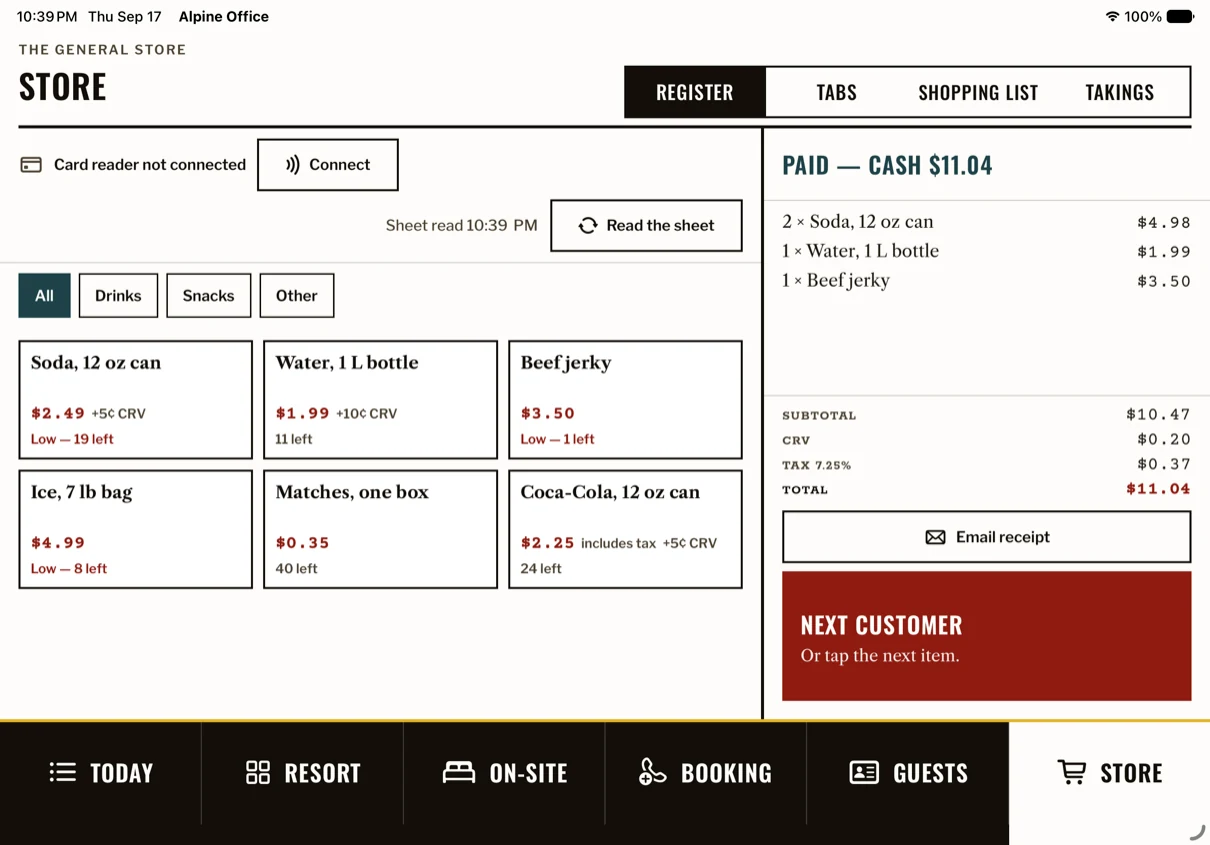
- The store register. The catalog lives in the Google Sheet the owner already keeps. Totals are priced by the server, never the tablet. Cash, card on a Stripe reader, or charge it to the guest's stay. Stock on hand is the last count minus sales since; a low-stock alert goes out when an item hits its reorder line, and the restock list is emailed every morning at 8:30.
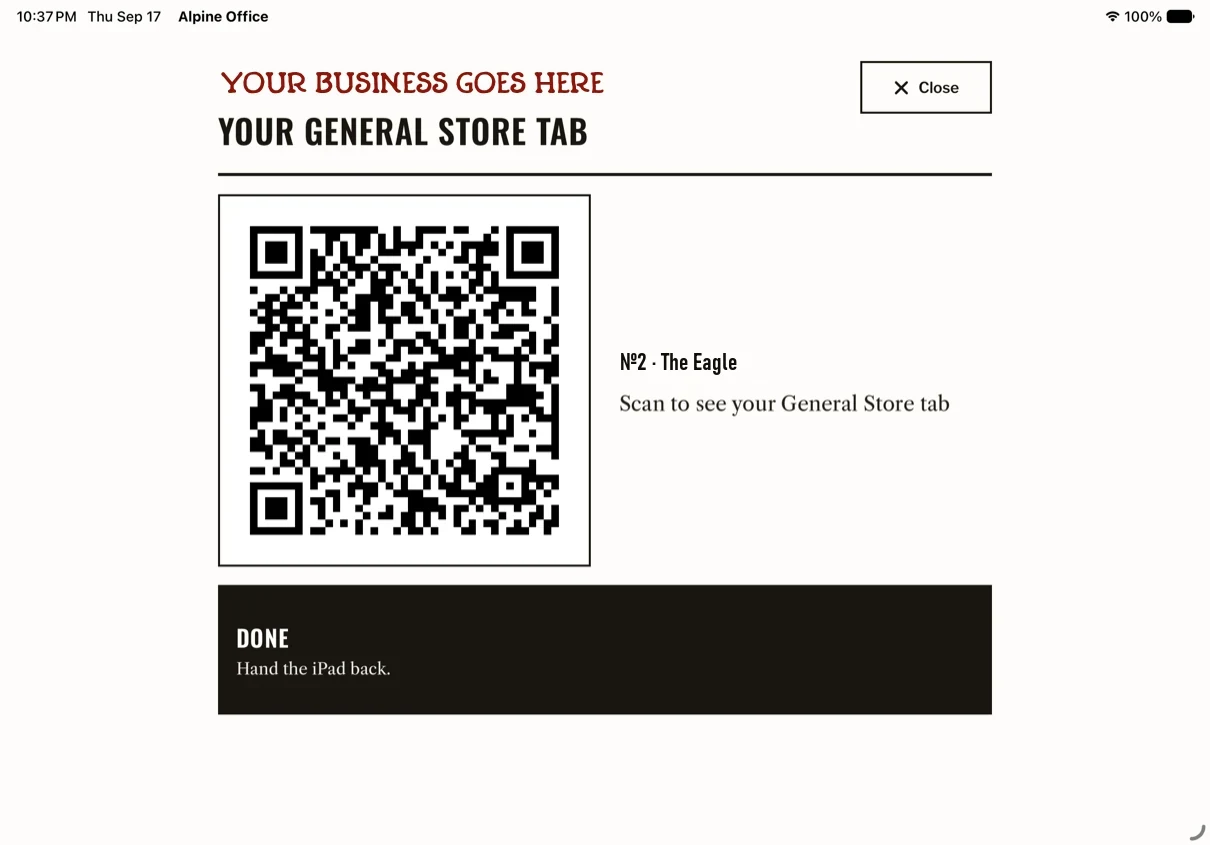
- Guest tabs. A staying guest charges to their cabin. They get a private page by QR code to see and pay the tab online, and it only works while they're staying. Check-out waits until the tab is settled, unless an owner says otherwise.
- Receipts and the check-out letter. Branded receipts by email, with sign-up boxes only the guest ticks. The check-out letter itemizes nights, tab lines and payments, and asks for a Google review.
- Alerts. A push notification for every booking. An email to the booking inbox and the owner, and digests at 8, noon and 5.
- Owners and staff. Separate logins. Refunds are owner-only.
- A link for every unit. Each cabin, room or site can have its own booking link, for your site, your emails and your listings.
- The web office. Today, Chart, Book, Guests and Planning: rates, blackouts, events, gift certificates and PINs, from any laptop.
Paper to digital
Your paper book comes with you. We photograph every registration card and load it as a real booking, a dry run first and then for real, through the office's own doors, without ever transcribing a card number. Cards with open questions wait for the owner's ruling rather than a guess. On our first install, the load found a cabin the paper book had double-booked; the iPad fixed it.
How it was built
- Aug 20The booking foundation. The web office the next day.
- Aug 30The iPad app's first TestFlight build, on mock data.
- Sept 6Reading live data. The go-live build followed on the 10th.
- Sept 188 am: the store iPad handed to staff, card reader paired. 8:01 pm: the domain moved, and the app followed by itself.
- Sept 25Build 39: every unit in every view, RV spaces placed in slots.
39 builds in 27 days. The iPad signs in for a device token and talks to the server through one office API; no payment secret ever lives on the tablet. The register alone is 28 server routes. The real database's SQL was replayed on an in-memory Postgres before it touched production: 1,982 statements, 0 errors. The server carries 1,417 unit tests and 313 browser tests; the iPad app has its own test target.
What we learned
One Sunday an Undo on the iPad wrote a status the production database refused, and staff saw an error. The test database had no such rule, so every test had passed. The fix shipped in two steps, a tolerant reader first and the database change second, and it became a rule: new columns land before the code that uses them, and nothing breaking ships without a way to read the old shape. That is the difference between software that's demoed and software that's run.
Design
Rules for the iPad: the work queue is the home screen; undo instead of confirmation prompts; three booking states and no more; a half-finished call resumes where it was left; 104-point touch targets; taps instead of typing.
The look is your property's own: your colors and type, square corners, rules instead of shadows. One color for actions, one for bookings, one for to-dos.
Built and run for you
Alpine isn't a download you set up alone. We set it up around how your property works, move your bookings over, and then host it, keep it updated and change it as your seasons change, on one monthly plan.
Start
Tell us about your property: how many units, how bookings come in today, and what you'd like to stop doing by hand. We'll show you Alpine running.